
Now in Android #117 — Google I/O 2025 Part I

Now in Android #117 — Google I/O 2025 Part I
Design, Watches, Cars, Tablets, Adaptive Apps, Android XR, Gemini, and Android 16
Welcome to part one of a special two-part Google I/O 2025 edition of Now in Android. This first post will cover a bunch of changes related to the latest evolution of Material Design, watches, cars, tablets, laptops, and connected displays, the latest in adaptive app development, XR development, how to take advantage of on-device and cloud based AI, and Android 16.
Most of the content of this post is available in the form of a video or podcast, so feel free to watch or listen rather than read on. (Or do all three to help you remember! There won’t be a quiz.)
The Android Show: I/O Edition — what Android devs need to know! 🤖
We began the I/O season with a special edition of The Android Show, where we introduced the latest evolution of Material Design, Material 3 Expressive.
The Android Show: I/O Edition - what Android devs need to know!
Material 3 Expressive adds a new motion physics system, new type styles for variable and static fonts, an expanded shape library with morphing animations, and an expanded range of colors. Fifteen new or updated components now feature more configuration capabilities, shape options, emphasized text, and other expressive updates. The Material team has a post where you can read all about it, including design tactics.
M3 Expressive: Engaging UX Design
At I/O Build next-level UX with Material 3 Expressive covered how to use the new expressive design patterns; breaking down the research, explaining new guidelines, and including new design files + code.
The first beta of the Q3 Android 16 update contains much of the new visual polish associated with Material Expressive, and you can get the Q3 beta today on your supported Pixel device.
The Android Design at Google I/O 2025 post covered how to use new emotional design patterns to boost engagement, usability, and desire, while making sure your app is updated with the latest Android 16 accessibility features like enhanced dark themes and increased text contrast. It covers designing across Android form factors with Gemini in-car and the new Car UI Design Kit. Learn new ways Google TV helps users engage with content and explore bringing 3D models to Android XR. WearOS is also releasing an updated design kit and learning Pathway.
New Android design guidance includes in-app settings, help and feedback, widget configuration, and edge-to-edge design. You can also find new and updated resources at figma.com/@androiddesign.
Android Design at Google I/O 2025
The Android Show also covered how we’re bringing Material 3 expressive to watches with Wear OS 6, and at I/O we launched the Wear OS 6 developer preview, allowing you to test your apps using the Wear OS 6 emulator.
The What’s New in WearOS 6 post from I/O covers lots more, including new tile components, the new Edge Hugging button, The TransformingLazyColumn, a new ScrollIndicator, and ProgressIndicator, CredentialManager for WearOS, and Richer Wear Media Controls.
Wear OS 6 introduces Watch Face Format v4 with a new Watch Face Push API, designed to support watch face marketplaces.
Version 4 also brings new features like the Photos element for user-selectable photos and transitions when exiting and entering ambient mode. Color Transforms are extended to more elements, with new functions for manipulating color. The Reference element lets you refer to any transformable attribute from one part of your watch face scene in other parts of the scene tree, and all that’s detailed in the What’s new in Watch Faces post.
New in-car app experiences 🚗
Google announced the latest advancements for in-car experiences at I/O.
- Gemini is coming to vehicles. Navigation apps can integrate with Gemini using three core intent formats, allowing you to start navigation and display relevant search results. Gemini for cars will be rolling out in the coming months.
- The Weather app category has graduated from beta, so you can now publish weather apps to production tracks on both Android Auto and cars with Google Built-in.
- You can use the Car App Templates Design Kit on Figma to design templated apps.
- SectionedItemTemplate and MediaPlaybackTemplate are now available in the Car App Library 1.8 alpha release.
- Android Auto now supports media apps, communications apps, and games in beta.
- It’s now possible for apps in the parked categories to distribute in the same APK or App Bundle to cars with Google built-in as to phones.
- To help you test Android Automotive OS apps, Android Automotive OS on Pixel Tablet is now generally available.
- Video apps will be supported on Android Auto, starting with phones running Android 16 on select compatible cars.
- Work is being done to enable thousands of adaptive mobile apps for Android Automotive OS cars running Android 14+ with Google built-in.
- Updated design documentation will visualize car app quality guidelines and integration paths to simplify designing your app for cars.
- Google Play Services for cars with Google built-in are expanding to bring them on-par with mobile, including Passkeys/Credential Manager APIs and Quick Share.
- Work is being done with OEMs to enable audio-only listening for video apps while driving for cars with Google built-in.
- Firebase Test Lab is adding Android Automotive OS devices to its device catalog
- Pre-launch reports for Android Automotive OS are coming soon to the Play Console.
Engage users on Google TV with excellent TV apps 📺
Google TV has over 270 million monthly active devices. New platform features and developer tools are available to help you increase app engagement.
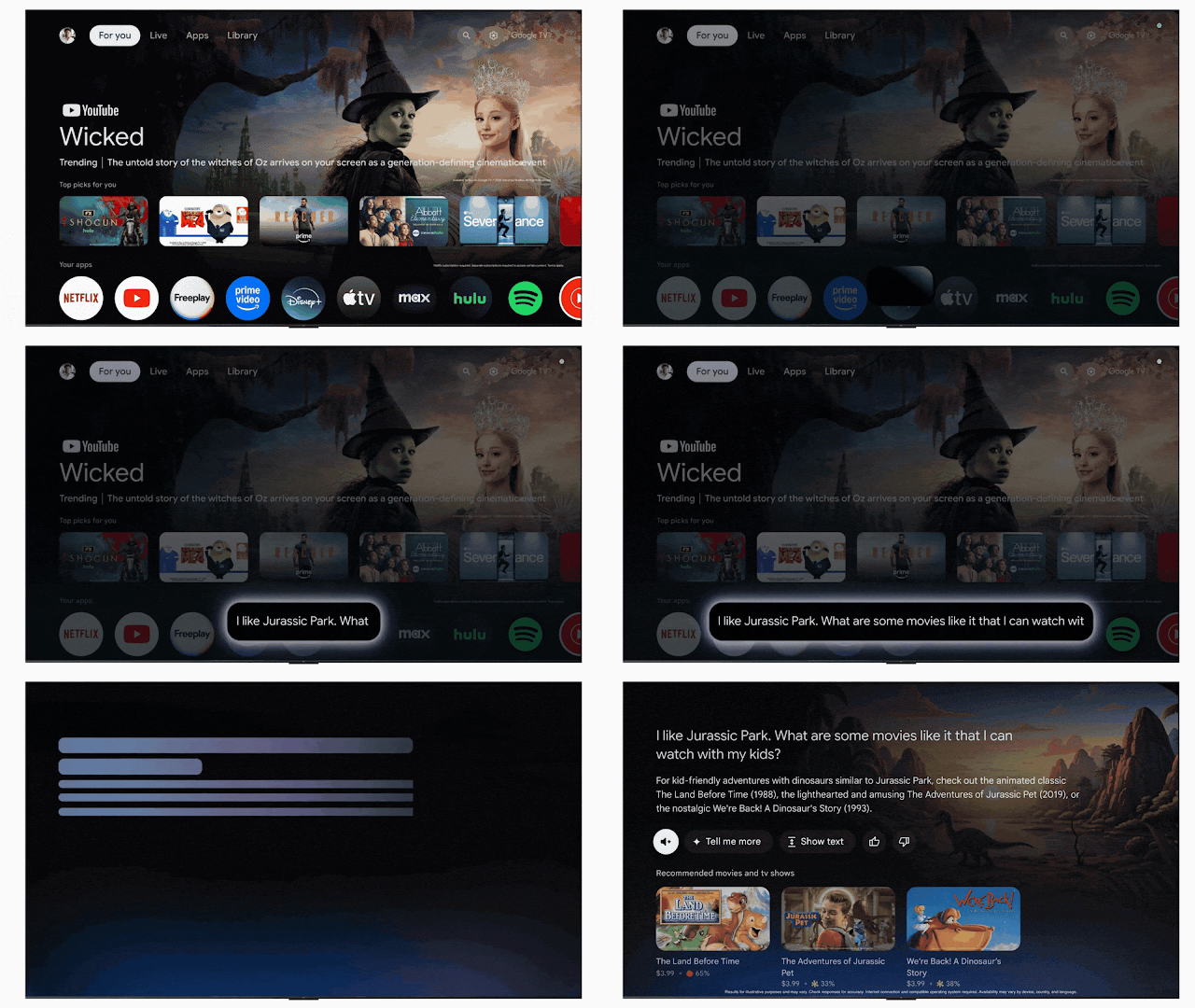
- Gemini capabilities are coming to Google TV, allowing users to speak naturally to find content and answers, including relevant content from your apps.
- Compose for TV 1.0 is now stable, expanding on core and Material Compose libraries. The latest release improves app startup, with internal benchmarking showing a 20% improvement compared to the March 2024 release. Check out the updated Jetcaster audio streaming app sample for guidance on using Compose across form factors.
- Partner enrollment is open for the Video Discovery API, which optimizes Resumption, Entitlements, and Recommendations across Google TV. With the API, you can display a user’s paused video in the ‘Continue Watching’ row and streamline entitlement management. Personalized content recommendations based on watched content are also highlighted.
- A codelab is available that reviews how you can set initial focus, prepare for unexpected focus traversal, and efficiently restore focus.
- A comprehensive guide on memory optimization is also released, including memory targets for low RAM devices.
- The In-App Ratings and Reviews API is extended to TV. The API allows you to prompt users for ratings and reviews directly from Google TV.
- With Android 16 for TV, you’ll be able to access features such as the MediaQualityManager, platform support for the Eclipsa Audio codec, improvements to media playback speed, and HDMI-CEC reliability and performance optimizations.
Engage users on Google TV with excellent TV apps
The In-App Ratings and Reviews for TV article covers integrating the newly-available Google Play In-App Review API for TV.
In-App Ratings and Reviews for TV
Updates to the Android XR SDK: Introducing Developer Preview 2 🥽
The Android XR SDK Developer Preview 2 is now available, featuring updates to Jetpack XR, Jetpack Compose, Material Design, ARCore, and the Android XR Emulator.
Key updates include:
- Jetpack XR SDK: You can now play back 180° and 360° videos.
- Jetpack Compose for XR: You can define layouts that adapt to different XR display configurations.
- Material Design for XR: You have access to more component overrides for TopAppBar, AlertDialog, and ListDetailPaneScaffold.
- ARCore for Jetpack XR: You can track hands after requesting the appropriate permissions, enabling hand gestures in your apps.
- Android XR Emulator: You’ll see stability improvements, AMD GPU support, and full integration within the Android Studio UI.
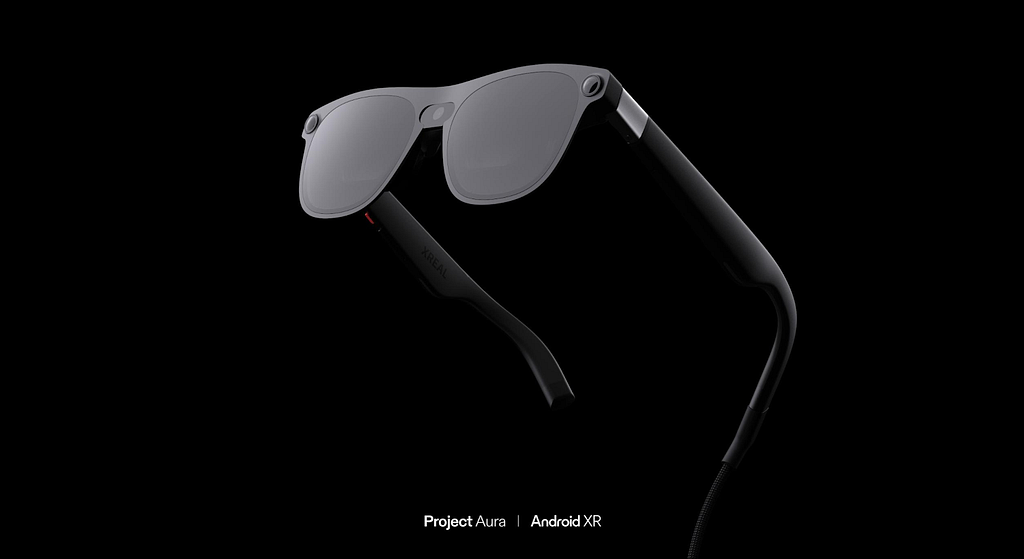
Android XR will be available first on Samsung’s Project Moohan, launching later this year. Soon after, our partners at XREAL will release the next Android XR device, codenamed Project Aura.
Unity developers can upgrade to Pre-Release version 2 of the Unity OpenXR: Android XR package, which includes support for Dynamic Refresh Rate and SpaceWarp.
The Google Play Store will list supported 2D Android apps on the Android XR Play Store when it launches later this year. If you are building an Android XR-differentiated app, you can prepare it for launch by testing your app in the Android XR Emulator and learning how to package and distribute apps for Android XR. You can make your XR app stand out from others on the Play Store with preview assets such as stereoscopic 180° or 360° videos.
Updates to the Android XR SDK: Introducing Developer Preview 2
You can learn more about building for Android XR with the “Building differentiated apps for Android XR with 3D content” session covering Jetpack SceneCore and ARCore for Jetpack XR, while “The Future is now with Compose and AI on Android XR” covers creating XR-differentiated UI and our vision on the intersection of XR with cutting-edge AI capabilities.
Google I/O 2025: Build adaptive Android apps that shine across form factors 📱
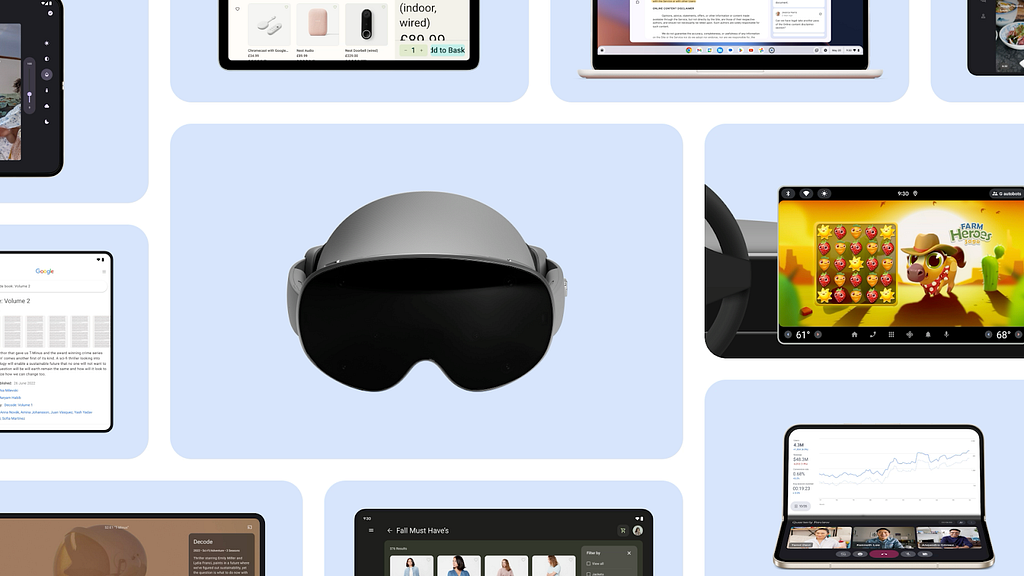
In today’s multi-device world, users expect their favorite applications to work flawlessly and intuitively, whether they’re on a smartphone, tablet, or Chromebook. At Google I/O 2025, we explored adaptive app development as a fundamental strategy to make sure your same mobile app runs well across phones, foldables, tablets, Chromebooks, connected displays, XR, and cars.
The article covers tools and libraries to help build adaptive apps:
- The Compose Adaptive Layouts library implements canonical layout patterns like list-detail and supporting pane that automatically reflow as your app is resized, flipped or folded. New adaptation strategies like “Levitate” and “Reflow” were introduced in the 1.2 alpha release.
- Jetpack Navigation 3 (Alpha) simplifies defining user journeys across screens with less boilerplate code, especially for multi-pane layouts in Compose.
- Jetpack Compose input enhancements in Compose 1.9 include right-click context menus and enhanced trackpad/mouse functionality.
- Use Window Size Classes for top-level layout decisions, along with our design guidance.
- Compose previews visualize your layouts across a wide variety of screen sizes and aspect ratios for quick feedback.
- Testing adaptive layouts is crucial and Android Studio offers various tools for validation — including previews for different sizes and aspect ratios, a resizable emulator, screenshot tests, and instrumented behavior tests. Journeys with Gemini in Android Studio, allow you to define tests using natural language for even more robust testing across different window sizes.
Note, beginning in Android 16 manifest and runtime restrictions on orientation, resizability, and aspect ratio will be ignored on large displays (displays that are at least 600dp in both dimensions) for apps targeting SDK 36. Your apps will need support runtime resizing, with layouts that work for both portrait and landscape windows.
- There’s a temporary opt-out manifest flag at both the application and activity level to delay these changes until targetSdk 37.
- These changes do not currently apply to apps in the “Games” category
The article and I/O talk covers all this and more in additional detail.
Google I/O 2025: Build adaptive Android apps that shine across form factors
See how Peacock used Jetpack Compose and the WindowSizeClass API to adapt its Android app for various screen sizes, including foldables and future Android XR devices.
Peacock built adaptively on Android to deliver great experiences across screens
The “Unlock user productivity with desktop windowing and stylus support” talk covers how to make sure your app is ready to be productive on Android, including support for multiple instances of an app, drag-and-drop, connected displays, and styluses.

On-device GenAI APIs as part of ML Kit help you easily build with Gemini Nano 🤖
ML Kit now includes on-device GenAI APIs:
- New APIs: Summarization, Proofreading, Rewriting, and Image Description APIs built with Gemini Nano, LoRA adapters, optimized inference parameters, and a quality evaluation pipeline. The feature-specific fine-tuning increases the benchmark scores for each API.
- On-Device Focus: The on-device processing ensures data privacy, offline functionality, and eliminates API call costs.
- Future Expansion: Expect multilingual support and multimodal text/image input capabilities.
- Resources: Check out goo.gle/mlkit-genai and d.android.com/ai for more details.
On-device GenAI APIs as part of ML Kit help you easily build with Gemini Nano
While the Android announcements were focused on on-device AI, Google I/O had sessions about leveraging cloud models as well as hybrid approaches.
Finding the perfect Gemini fit on Android is an overview of AI offerings, with guidance around considering the modality, complexity, and context window of your app’s AI needs to choose the right models and infrastructure.
Enhance your Android app with Gemini Pro and Flash, and Imagen covers how you can integrate Google’s generative AI models, Gemini Pro and Flash, into your apps using the Firebase SDK. This provides access to functionalities like text, image, audio, and video processing. The Gemini Developer API offers a no-cost tier and scalable plans. Additionally, Imagen 3 is available via Firebase for generating visuals and enhancing existing screens (currently in public preview). You are encouraged to use App Check to protect app assets and traffic monitoring in the Firebase console.
What’s new in Android
What’s new in Android spans both this and the next episode of Now in Android. This episode focuses on top Android 16 developer updates.
Minor SDK releases
With Android 16, we’ve added the concept of a minor SDK release to allow us to iterate our APIs more quickly, reflecting the rapid pace of the innovation Android is bringing to apps and devices.
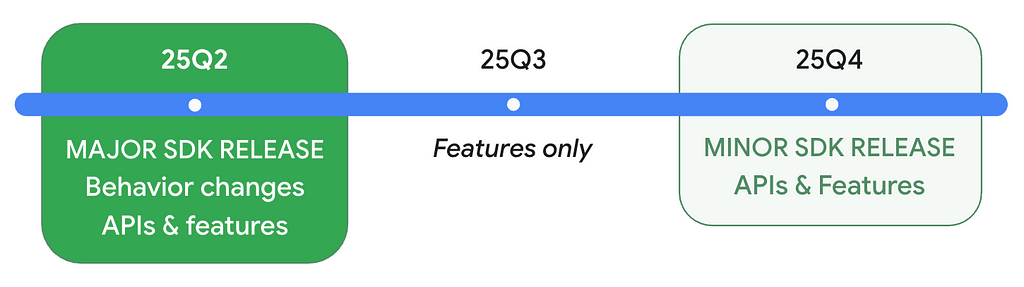
New features
- Live Updates notify users of important ongoing user-facing progress and come with a new ProgressStyle standardized template.
- Digital credentials and restore credentials APIs in credential manager.
- Privacy Sandbox updates, including a new learning pathway
- Advanced Protection Mode and Identity Check
- Medical Records in Health Connect along with new permissions and support for background reads of health data.
Changes
Even if you aren’t yet targeting Android 16:
- JobScheduler: JobScheduler quotas are enforced more strictly in Android 16; enforcement will occur if a job executes while the app is on top, when a foreground service is running, or in the active standby bucket. setImportantWhileForeground is now a no-op. The new stop reason STOP_REASON_TIMEOUT_ABANDONED occurs when we detect that the app can no longer stop the job.
- Broadcasts: Ordered broadcasts using priorities only work within the same process. Use another IPC if you need cross-process ordering.
- ART: If you use reflection, JNI, or any other means to access Android internals, your app might break. This is never a best practice. Test thoroughly.
- Intents: Android 16 has stronger security against Intent redirection attacks. Test your Intent handling, and only opt-out of the protections if absolutely necessary.
- 16KB Page Size: If your app isn’t 16KB-page-size ready, you can use the new compatibility mode flag, but we recommend migrating to 16KB for best performance.
- Accessibility: announceForAccessibility is deprecated; use the recommended alternatives. Make sure to test with the new outline text feature.
- Bluetooth: Android 16 improves Bluetooth bond loss handling that impacts the way re-pairing occurs.
Once your app targets Android 16:
- User Experience: Changes include the removal of edge-to-edge opt-out, required migration or opt-out for predictive back, and the disabling of elegant font APIs.
- Core Functionality: Optimizations have been made to fixed-rate work scheduling.
- Large Screen Devices: Orientation, resizability, and aspect ratio restrictions will be ignored. Ensure your layouts support all orientations across a variety of aspect ratios to adapt to different surfaces.
- Health and Fitness: Changes have been implemented for health and fitness permissions.
Get your app ready for the future:
- Local network protection: Consider testing your app with the upcoming Local Network Protection feature. It will give users more control over which apps can access devices on their local network in a future Android major release.
16 things to know for Android developers at Google I/O 2025 🤖
In honor of Android 16, Google I/O ’25 featured 16 key announcements for Android developers:
- Generative AI: Use ML Kit GenAI APIs with Gemini Nano for tasks like summarization and image description. You can use Gemini Pro, Gemini Flash, and Imagen via Firebase AI Logic for more complex tasks, and you can also use the new AI sample app, Androidify.
- Adaptive Apps: Build a single mobile app that works across devices to reach 500 million devices. Use Compose Layouts library and Jetpack Navigation updates.
- Material 3 Expressive: Use Material 3 Expressive to enhance your product’s appeal by harnessing emotional UX.
- Widgets: Personalize widget previews with Glance 1.2. Use Live Updates to notify users of important ongoing notifications.
- Camera & Media: Use software low light boost for improved photography in dim lighting and native PCM offload for battery conservation.
- Cars: Build in-car experiences using Gemini integrations, support for more app categories, and enhanced capabilities for media and communication apps. Use testing tools like Android Automotive OS on Pixel Tablet and Firebase Test Lab access.
- Android XR: Use Developer Preview 2 of the Android XR SDK, and build for the expanding ecosystem of devices.
- Wear OS: Wear OS 6 features Material 3 Expressive, a new UI design with personalized visuals and motion for user creativity.
- Google TV: Compose for TV stable release empowers you to build adaptive UIs. Use the Video Discovery API.
- Jetpack Compose: The latest stable BOM release provides the features, performance, stability, and libraries that you need to build beautiful adaptive apps faster.
- Kotlin Multiplatform: Use the new Android Studio KMP shared module template, updated Jetpack libraries, and new codelabs.
- Gemini in Android Studio: Use the new agentic AI experiences, Journeys for Android Studio and Version Upgrade Agent.
- Android Studio: The latest release has AI-driven tools like Gemini in Android Studio.
- Google Play: Use enhanced personalization and fresh ways to showcase your apps and content.
- Play Games Services: Migrate PGS v1 features to v2.
- Android 16: Test your apps with the latest Beta of Android 16.
In this part one of the I/O 2025 edition of Now in Android, we’ve covered Generative AI, Adaptive Apps, Material 3 Expressive, Cars, TV, Wear, and Android 16 from this list, and the next part will cover Jetpack Compose, Android Studio, and more.
16 things to know for Android developers at Google I/O 2025
Now then… 👋
That’s it for part one of our I/O coverage in Now in Android, with Material Expressive, watches, cars, tablets, laptops, connected displays, the latest in adaptive app development, XR development, AI, and Android 16. Part two of our coverage will include the latest from Android Jetpack, Jetpack Compose, Android Studio, so be sure to tune in.
Remember to like, subscribe, share, and stay safe, and come back here soon for more of Now in Android.
Now in Android #117 — Google I/O 2025 Part I was originally published in Android Developers on Medium, where people are continuing the conversation by highlighting and responding to this story.